Billing
Invoices, payments and renewals
Invoices
Go to Billing → Invoices. Every purchase and renewal produces a GST-compliant tax invoice.
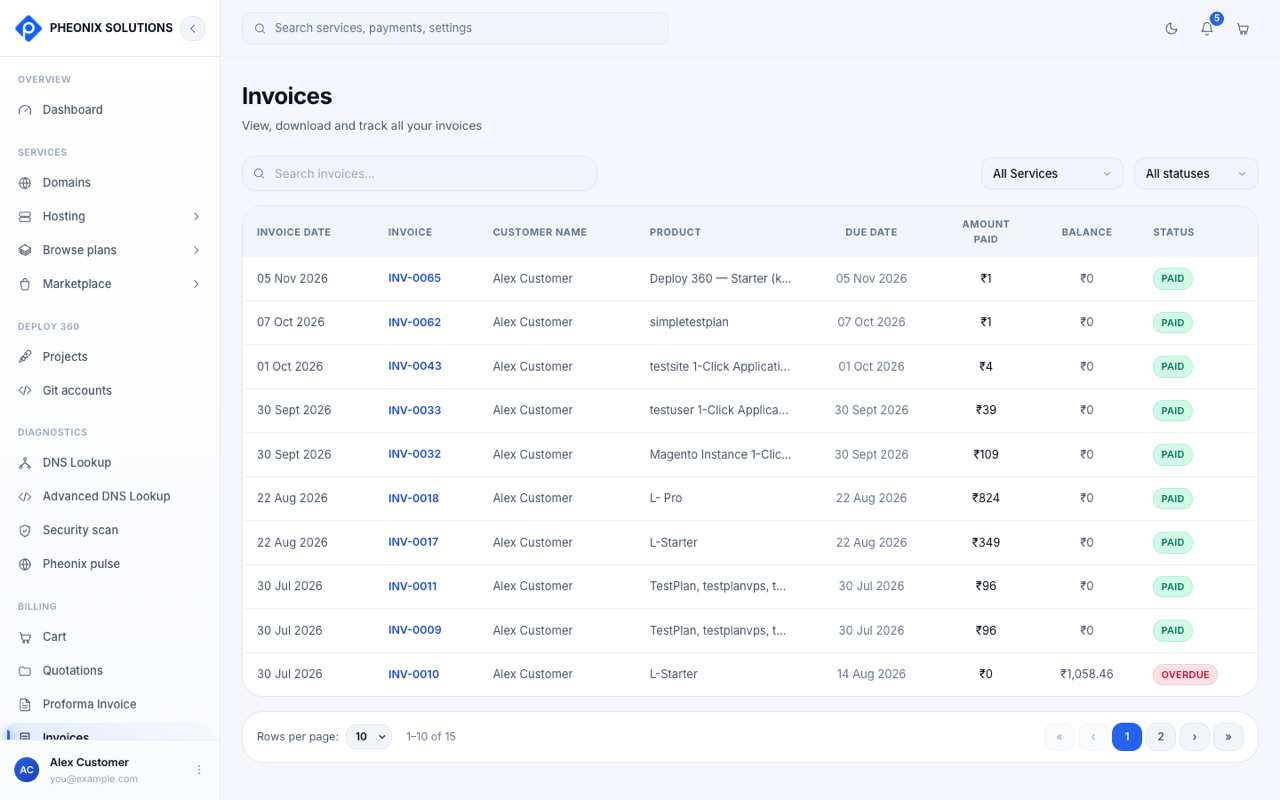
- Filter by service and status.
- The Paid and Balance columns show how much has been paid and how much is still due.
- Open an invoice to view it and download the PDF.
| Status | Meaning |
|---|---|
| Paid | Fully paid |
| Overdue | The due date has passed and there's a balance to pay |
Payment history
Go to Billing → Payment history to see every payment attempt, successful or not.
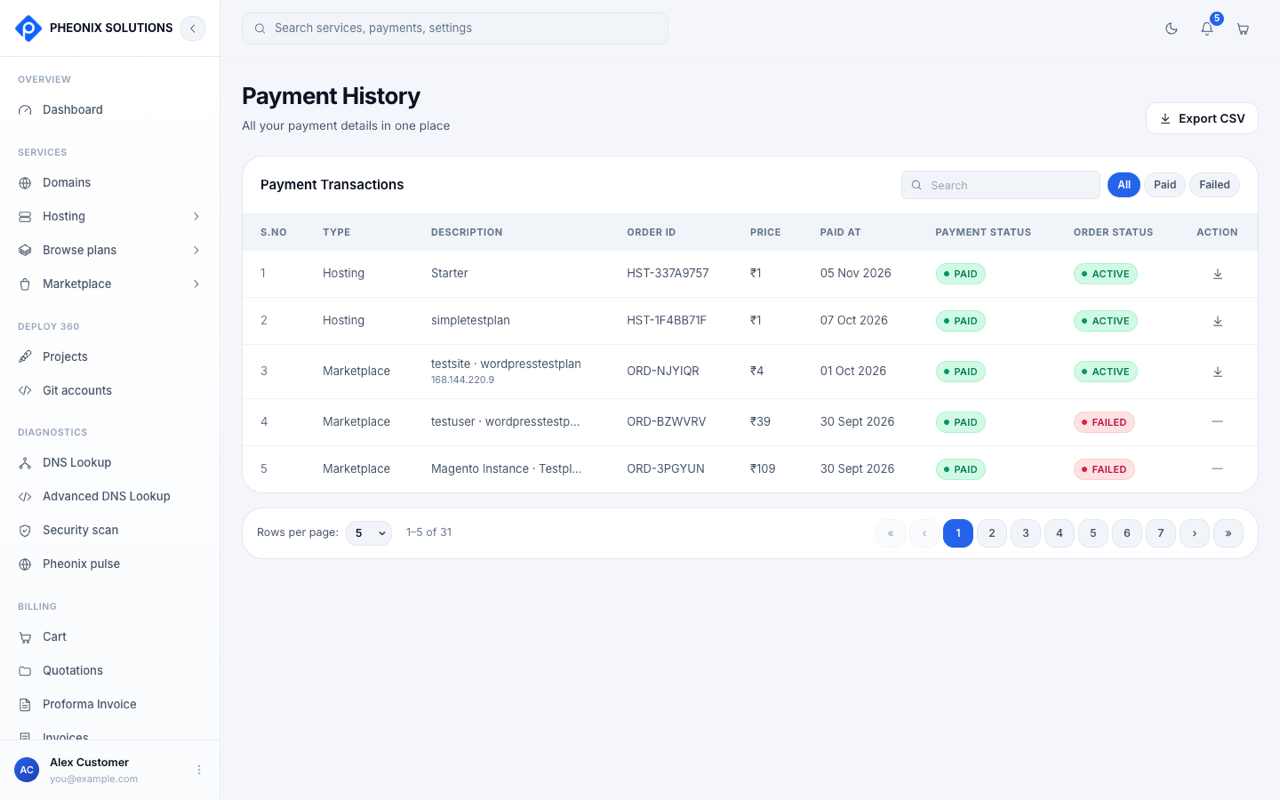
- Filter by All, Paid or Failed.
- Each row shows the type (Domain, Hosting or Marketplace), what it was for, the Order ID, the amount, the date, the payment status and the order status.
- Select Export CSV to download the list for your accounts.
Renewals
Most services renew on a monthly or yearly cycle. Keep track of them in two places:
- Dashboard → Renewal status: upcoming renewal and expiry dates, with prices.
- Dashboard → My services: a service shows Renewal pending once its expiry date has passed without payment.
When a service expires, it enters a short grace period. If the renewal still isn't paid by the end of it, the service can be suspended until you pay. For marketplace apps, select Renew plan on the deployment.
tip
Make sure your email address is correct in Settings. Renewal reminders are sent there.