Deploy 360
Deploy 360
Deploy 360 runs your own application straight from a Git repository. Connect GitHub, GitLab or Bitbucket and pick a repository. We read it, work out how it builds, and run it on its own server with a free HTTPS address. You can add a database we run for you, or connect one you already have.
How it fits together
| Term | What it is |
|---|---|
| Project | One application, built from one repository. A project can have a frontend (what visitors load in the browser), a backend (your API or server process), or both. |
| Environment | A running copy of the project, such as Production or Staging. Each environment has its own branch, settings, variables, database and address. |
| Deployment | One build and release of a commit. Each deployment keeps its build log, and you can roll back to a recent one. |
| Server | The cloud server your site runs on. It's created for you when you first pay, and every environment of the project shares it. |
The journey
- Connect a Git account
- Create a project: an eight-step wizard. Nothing is charged until the last step.
- Pay for a plan. Your server is created and the first deploy starts automatically, usually in 3–5 minutes.
- Manage deployments, add a database, and change settings and environments.
Want to know what happens behind the scenes? Read How Deploy 360 works.
Plans
Each site (project) needs its own plan. The plan decides the size of the site's server.
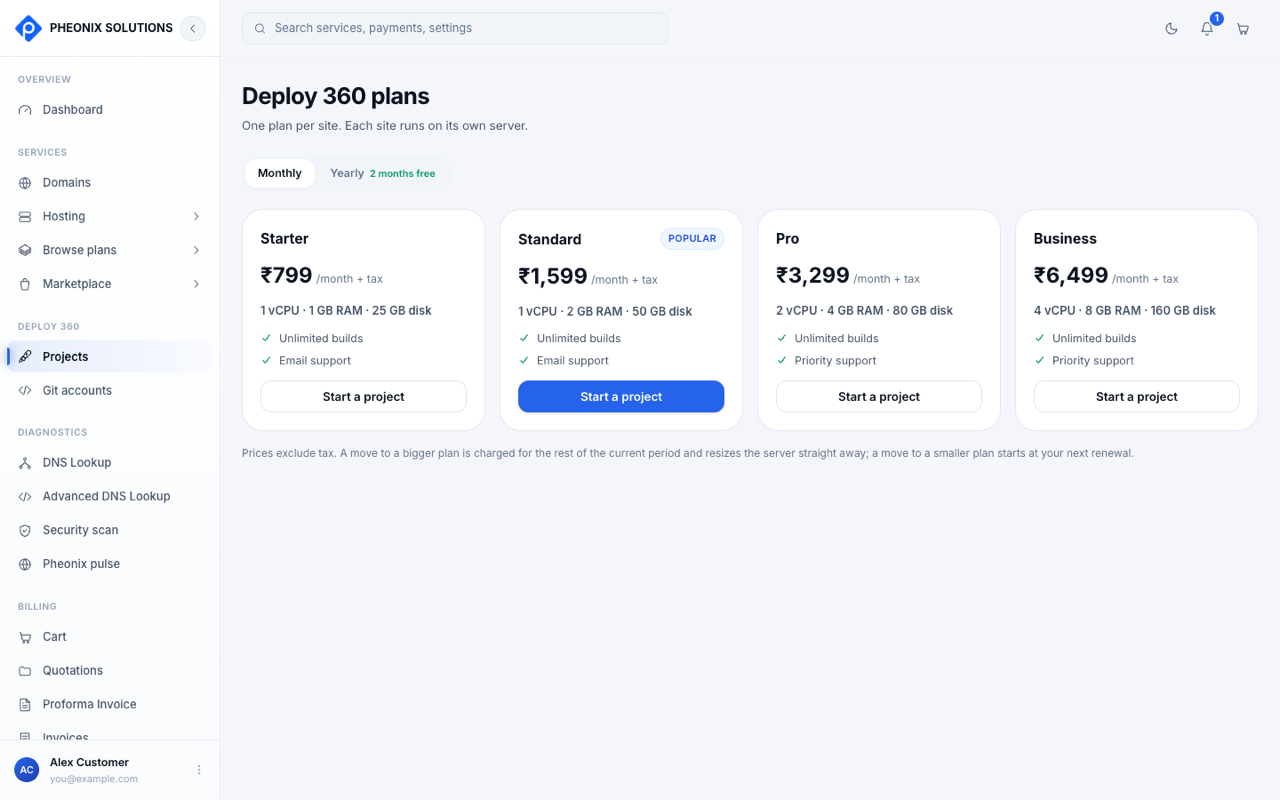
| Plan | Server | Support |
|---|---|---|
| Starter | 1 vCPU · 1 GB RAM · 25 GB disk | |
| Standard | 1 vCPU · 2 GB RAM · 50 GB disk | |
| Pro | 2 vCPU · 4 GB RAM · 80 GB disk | Priority |
| Business | 4 vCPU · 8 GB RAM · 160 GB disk | Priority |
- Every plan includes unlimited builds and up to 2 environments.
- Pay monthly or yearly. Yearly gives you 2 months free.
- Prices exclude tax. See the current prices on Deploy 360 → Projects → plans in the app.
Change plan
Open the project and use the Plan card on the Overview tab.
- Moving to a bigger plan costs the prorated difference for the rest of your current period, paid straight away. After payment, your server restarts at the new size for a few minutes. The new size changes CPU and memory; disk space stays the same.
- Moving to a smaller plan is scheduled for your next renewal. Nothing is charged now. You can't move to a smaller plan if the site uses more than that plan allows.
If a payment fails
| When | What happens |
|---|---|
| Renewal fails | Your site keeps running for 7 days |
| After 7 days unpaid | The site is suspended. It stops, visitors see a This site is suspended page, and deploys are blocked. |
| After 30 days unpaid | The site's server is removed. Your project and settings are kept, and buying a plan again gives you a new server. |
Paying at any point before the server is removed brings the site straight back, without a rebuild.