Deploy 360
Connect a Git account
Link a Git host once, and you can deploy any repository it can reach. Go to Deploy 360 → Git accounts.
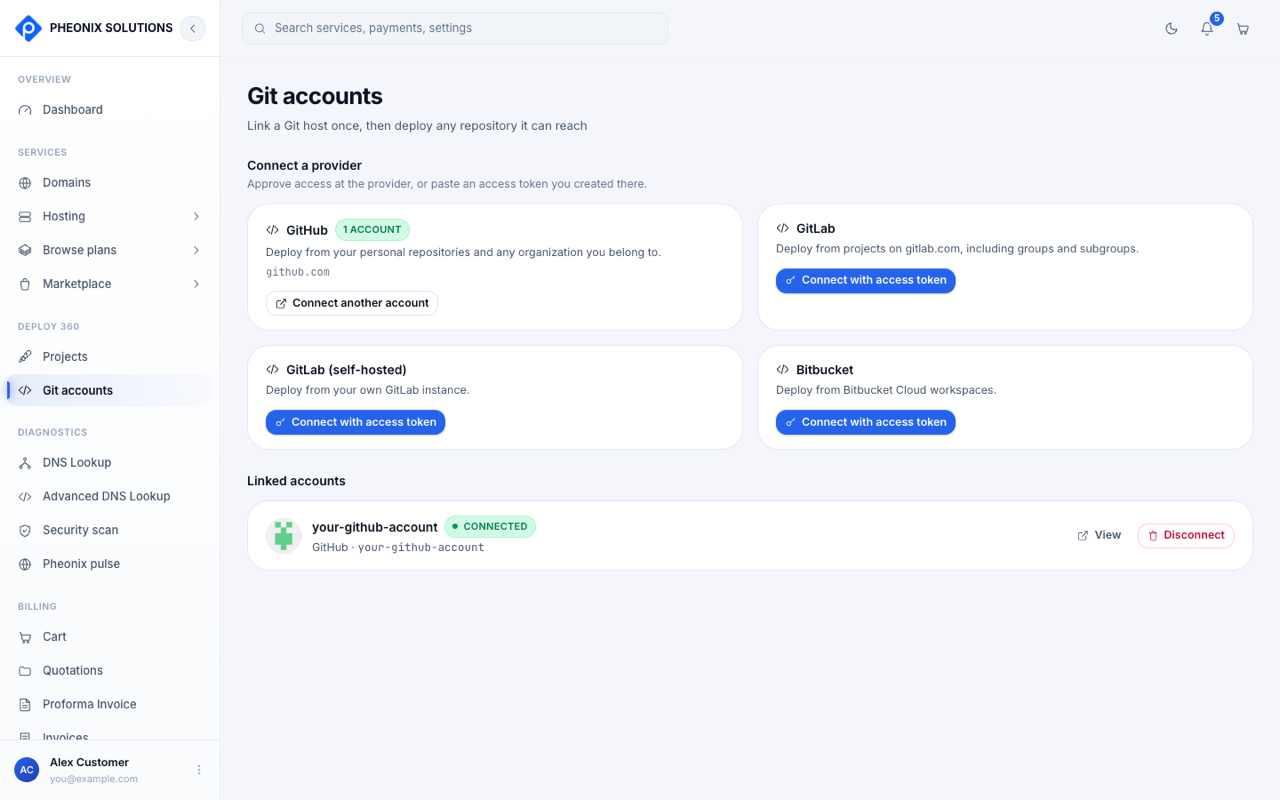
| Provider | How to connect | What you can deploy |
|---|---|---|
| GitHub | Approve access on GitHub | Your personal repositories, and those of any organization you belong to |
| GitLab | Connect with access token | Projects on gitlab.com, including groups and subgroups |
| GitLab (self-hosted) | Connect with access token | Projects on your own GitLab server |
| Bitbucket | Connect with access token | Bitbucket Cloud workspaces |
For the token-based providers, create an access token in that provider's settings with read access to repositories, then paste it here.
Linked accounts
Connected accounts are listed under Linked accounts with the status Connected.
- View shows the account's details.
- Disconnect removes the link. Projects that deploy from it can't fetch new code until you reconnect.
- Connect another account adds a second account from the same provider.